> ## Documentation Index
> Fetch the complete documentation index at: https://unstructured-53-kapa-ai.mintlify.site/llms.txt
> Use this file to discover all available pages before exploring further.
# Google Drive
> This page contains the information to ingest your data from Google Drive.
## Prerequisites
* Google Account
* Google Drive Folders and Files
* Service Account Key with permissions to access the Google Drive
For more information, please refer to [Google Drive API documentation](https://developers.google.com/drive/api/v3/about-sdk).
## Step-by-Step Guide
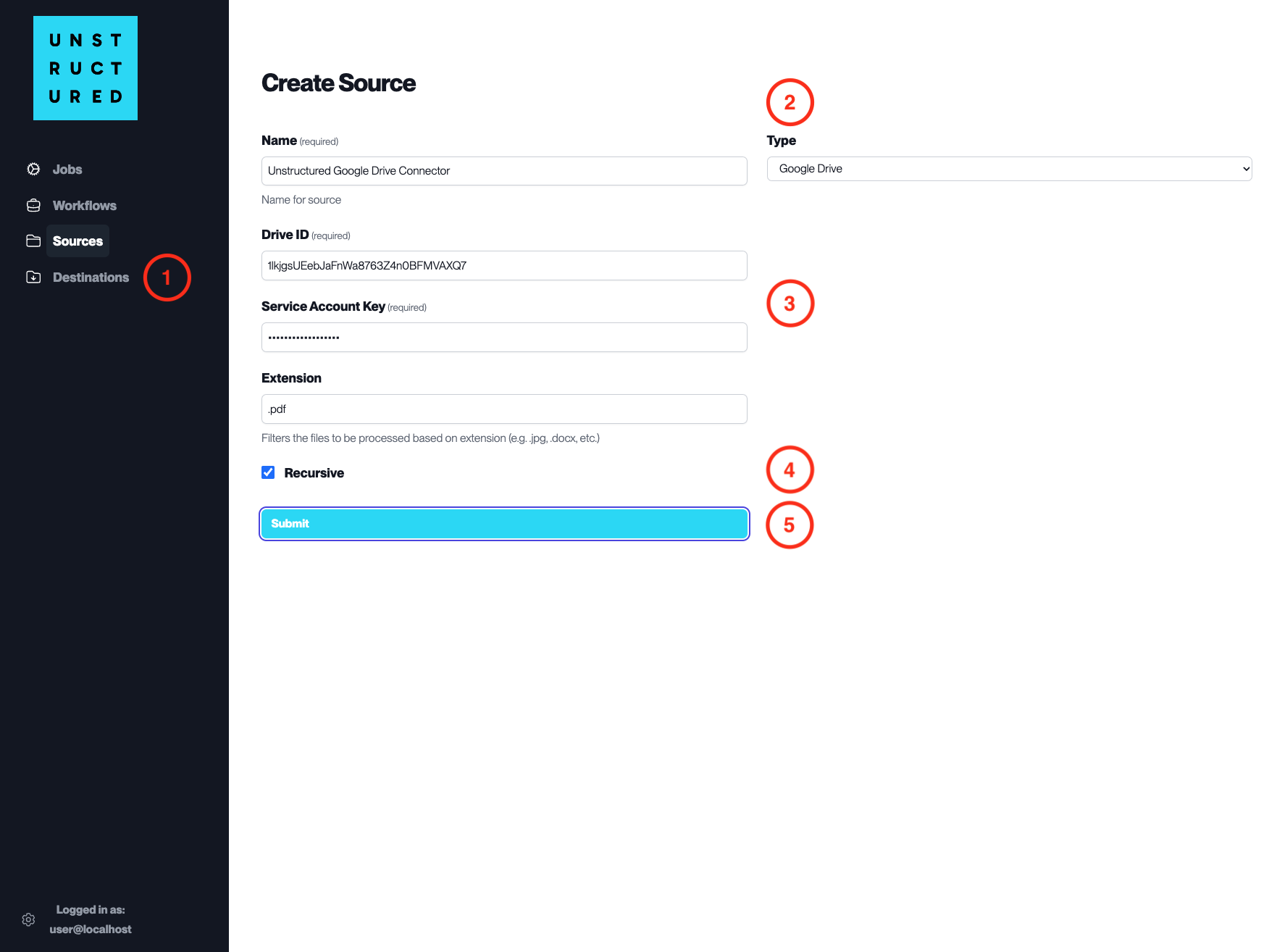
1. **Access the Create Source Page**. Navigate to the “Sources” section on the left sidebar and click the “New Source” button.
2. **Select Source Type**. Select **Google Drive** from the `Type` dropdown menu.
3. **Configure Source Details to connect to Google Drive**
* `Name` (*required*): Enter a unique name for the Google Drive source connector.
* `Drive ID` (*required*): Input the Drive ID associated with the Google Drive you wish to connect.
* `Service Account Key` (*required*): Provide the Service Account Key that has been granted access to the specified Google Drive.
* `Extension`: Specify the file extensions to be included in the ingestion process, if filtering is required.
4. **Additional Settings**
* Check `Recursive` if you want the platform to recursively ingest files from sub-folders within the specified Google Drive.
5. **Submit**. After filling in the necessary information, click ‘Submit’ to create the Source Connector. The newly completed Google Drive connector will be listed on the Sources dashboard.